

Write the offer before you leave the showing.
DraftDox fills in Texas TREC contracts right on your phone and gets them signed. Type the address, check the blanks, and send it to your buyer before you're back in the car.
An offer, start to signed, in 30 seconds.
This is the real app, recorded on a phone. We sped it up and added captions; everything else is exactly what you'll see.
- 1Type the addressPick it from the list. Owner, legal description and year built come from the county.
- 2Add your buyerYour usual terms are already filled in. Change anything you like.
- 3Build and sendPick which forms go out, then text or email the link.
- 4Your buyer signsOn their own phone, no app or account. You sign your part and send it on.
Sample deal. The brokerage, address and people are made up.
Three steps. That's the whole thing.
No more retyping the MLS sheet into a form at 10 pm.
Start with the house
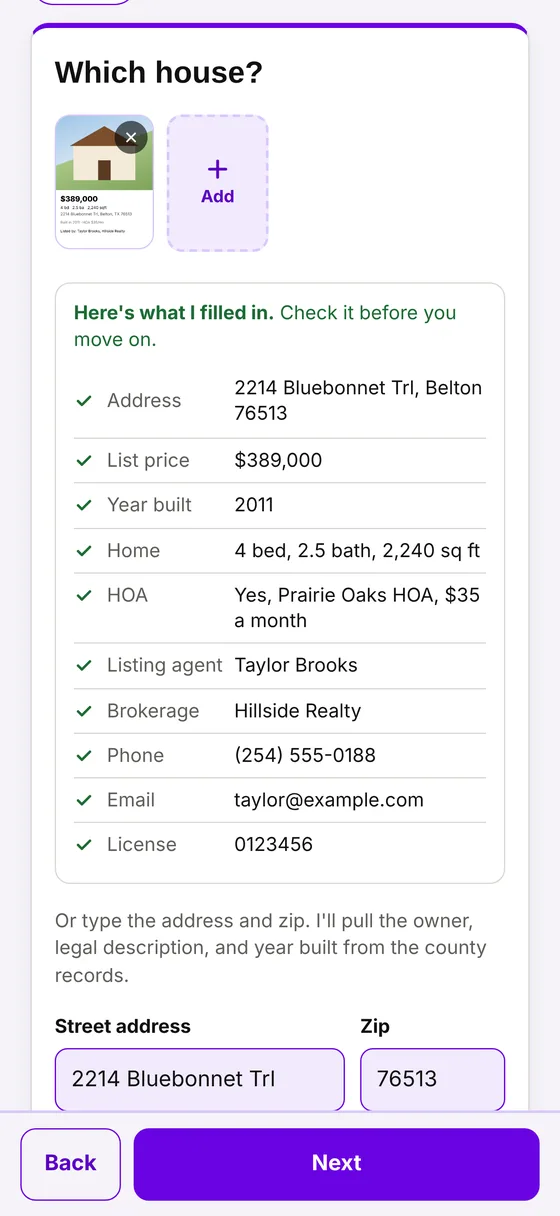
Type the address and pick it from the list, or snap a screenshot of the listing on the Pro plan.
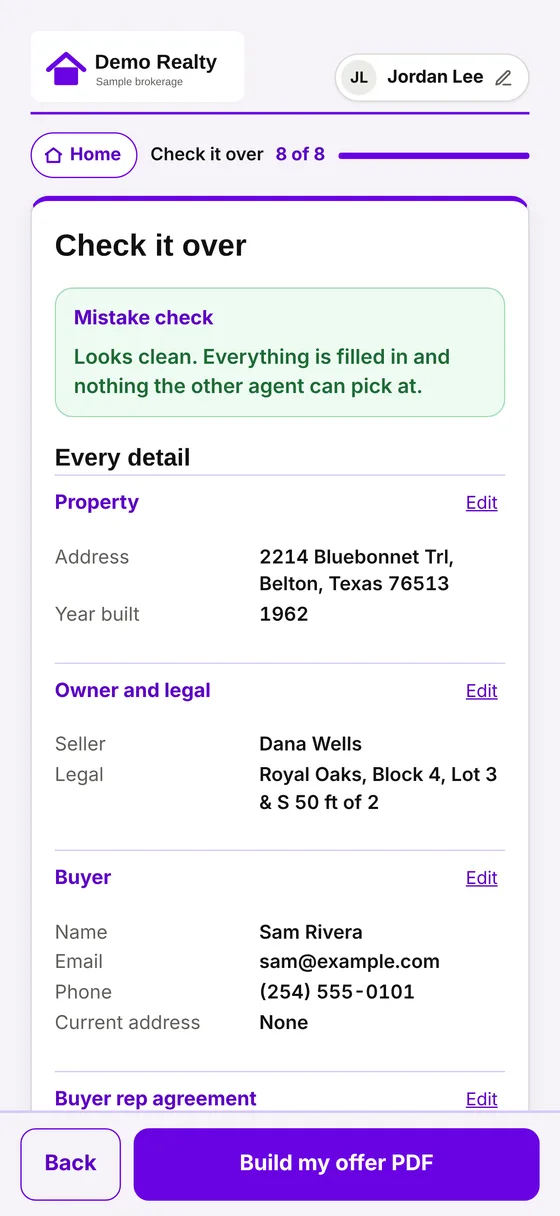
Check the blanks
Everything that went into the contract on one page, with a check for anything missing, before a single form is built.
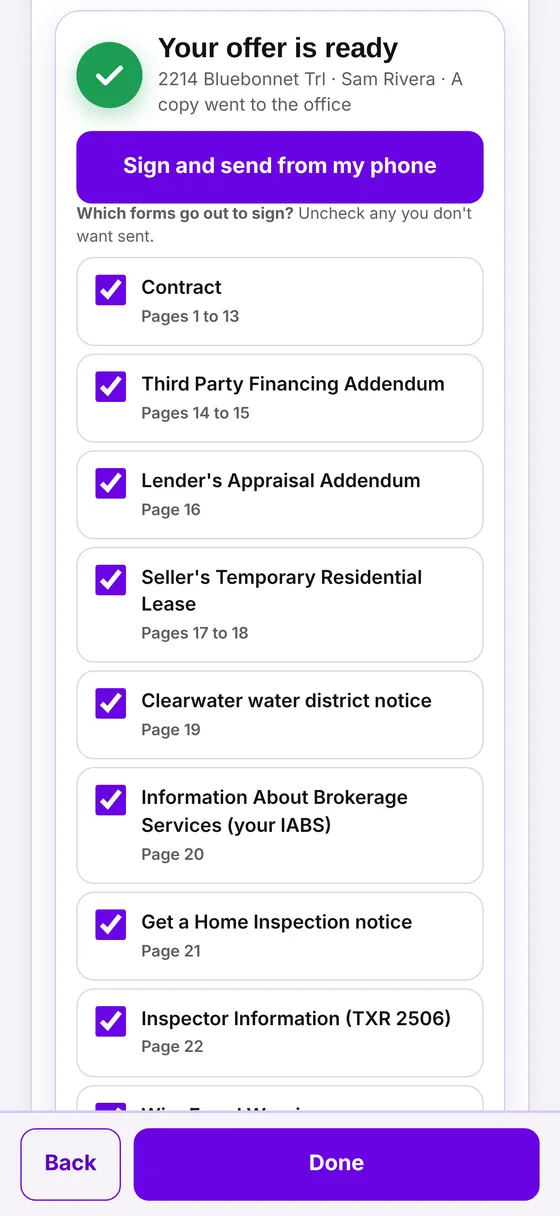
Send it to sign
Pick the forms that go out. Your clients sign with a finger from a text or an email.
Built for the way Texas agents work.
Designed by a Texas broker who got tired of doing paperwork the slow way.
TREC contracts, filled in
The TREC resale contract with its common addenda, plus amendments and terminations, filled in from what you enter. Long repair lists continue on an attached page instead of getting cut off.
Signing built in
Choose which forms go out and send each person their own link by text or email. Every signed copy comes with a signing certificate.
A signing record you can show
Each certificate lists who signed, when they agreed to sign electronically, when they signed, their device and network address, and a fingerprint of the document.
County records
Owner, legal description and year built from appraisal district records where they're available, so you start from the record instead of a blank page. Coverage varies by county.
Screenshot autofill
One screenshot of a listing fills in the address, price, year built, HOA and listing agent, and checks the agent's license against the state list. You review every field before it's used.
Your brokerage, your brand
Your brokerage logo and colors in the app, your broker's details on the forms, a calendar of contract dates, and an address book of the agents you work with.
Simple pricing. Cancel anytime.
Pay monthly, or pay for the year and get two months free.
Agent
Everything you need to write the contract and get it signed.
- TREC resale contract, common addenda, amendments and terminations
- Address search with county records where available
- Built in signing by text or email
- Pick which forms go out
- Signed copy with a signing certificate
Pro
Everything in Agent, plus the tools that save the most time.
- Everything in Agent
- Screenshot autofill from the MLS, Zillow, Redfin and Realtor.com
- Listing agent license check
- Calendar of contract dates with reminders
- Address book of the agents you work with
- Brokerage logo, colors and broker details
DraftDox is in early access. Sign up opens soon; until then, request access and we'll reach out. Cancel anytime. See the Terms for billing and cancellation.
Running a brokerage?
Put your whole office on DraftDox. One passcode for your agents, your logo and colors in the app, and a copy of every packet filed for your office automatically.
Questions agents ask
Do my clients need to download anything?
No. Each person gets their own link by text or email, opens it on any phone or computer, agrees to sign electronically, and signs with a finger or a mouse. No app and no account.
Which forms does DraftDox fill in?
The Texas Real Estate Commission (TREC) promulgated forms agents use to write and manage a resale offer: the One to Four Family Residential Contract with its common addenda, amendments, terminations and related notices. More forms are being added. DraftDox is not affiliated with TREC.
Are the signatures legally valid?
Electronic signatures are recognized under the federal E-SIGN Act and the Texas Uniform Electronic Transactions Act. Each signed copy includes a signing certificate showing who signed, when, from what device, and a fingerprint of the document as it was sent. As with any form, you and your broker are responsible for the content of the contract.
Where does the property info come from?
From what you type or the screenshot you add, county appraisal district records where available, and the Texas Real Estate Commission license list. You see everything that was filled in and can change any of it before a form is built.
Does it calculate contract dates?
DraftDox works out the option period, earnest money, survey and closing dates from the contract and shows them on a calendar, with reminders on the Pro plan. Always confirm dates against the signed contract.
Does it work on Android or a computer?
Yes. DraftDox runs in any modern web browser. The iPhone app, in review with Apple now, adds Face ID, picking clients from your contacts, and phone reminders.
How do billing and canceling work?
Plans are billed monthly or yearly through secure checkout when sign up opens. You can cancel anytime and keep access through the end of the period you paid for. Full details are in the Terms of Service.
Is my clients' information safe?
Each brokerage's deals are kept separate from every other office. We don't sell or share client information and we don't show ads. Read the Privacy Policy.
Your next offer, done before you get back to the car.
DraftDox is opening to Texas agents a few at a time. Request access and we'll get you set up personally.